11.3.7小节介绍过文档的页面设置。这里引用Section对象的PageSetup属性也会返回一个PageSetup对象,设置该对象的属性,可以对指定的节进行页面设置,比如设置页面的纸张大小和页边距等。PageSetup对象的常用属性如表11- 所示。
下面在第3段和第2段前插入连续分节符,然后将文档的第2个节分2栏显示。
code.python
>>> doc=app.Documents.Open('D:\\test3.docx')    #打开文档
>>> rng2=doc.Paragraphs(3).Range
>>> rng2.InsertBreak(constants.wdSectionBreakContinuous)    #分节符
>>> rng=doc.Paragraphs(2).Range
>>> rng.InsertBreak(constants.wdSectionBreakContinuous)    #分节符
>>> pg=doc.Sections(2).PageSetup    #第2节的PageSetup对象
>>> pg.TextColumns.SetCount(2)    #分2栏
>>> doc.Sections(2).Range.Select()    #选择第2节
设置效果如图5-1所示。
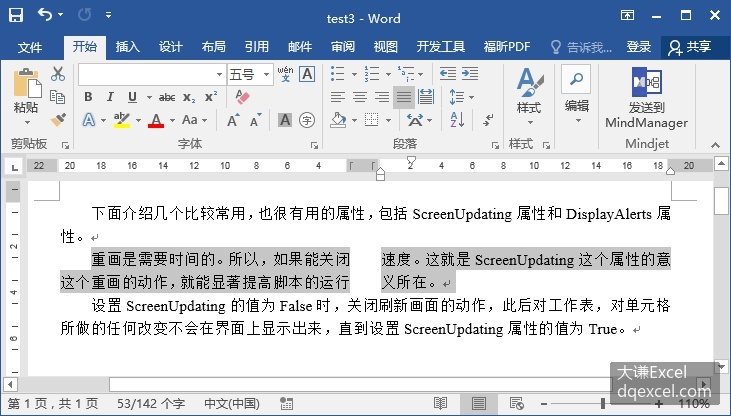
图5-1 插入分节符并将第2节文本分栏显示
继续对文档第3个节进行页面设置,将该节左右页边距都设置为120磅。
code.python
>>> pg2=doc.Sections(3).PageSetup
>>> pg2.LeftMargin=120
>>> pg2.RightMargin=120
>>> doc.Sections(3).Range.Select()
设置效果如图5-2所示。
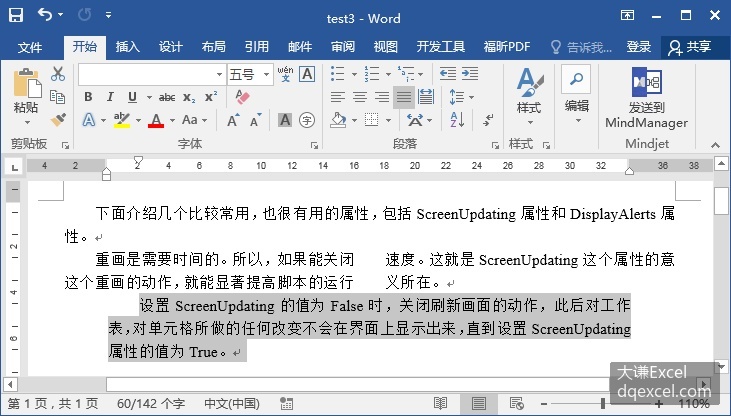
图5-2 设置第3节的左右页边距