11.6.1小节介绍了使用Paragraphs对象的Add方法在文档末尾或在指定段落前面添加段落的方法。如果希望在文档的任意位置插入段落,该怎么做呢?使用Range对象的InsertParagraph, InsertParagraphAfter或InsertParagraphBefore方法在指定字符序列处或字符序列的后面或前面插入段落。
下面打开文档test3.docx,在文档中定义一个字符序列,选择它。
>>> doc=app.Documents.Open('D:\\test3.docx')
>>> rng=doc.Range(Start=20,End=40)
>>> rng.Select()
定义的字符序列被选中亮显,如图4-4所示。
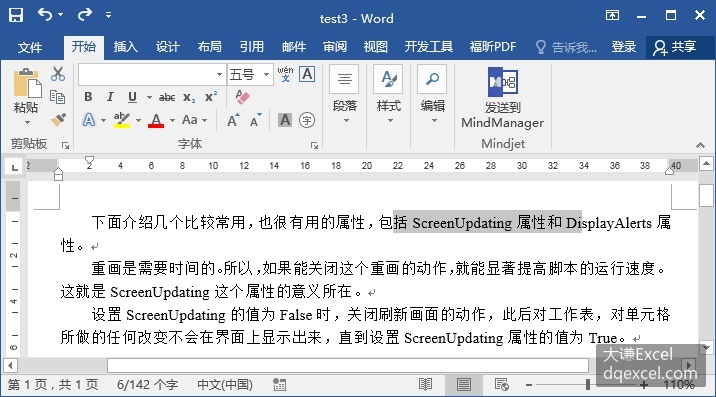
图4-4 定义字符序列并选中它
使用InsertParagraph方法插入段落。
>>> rng.InsertParagraph()效果如图4-5所示。可见,默认时,原字符序列内容被插入的新段落标记替换掉了。
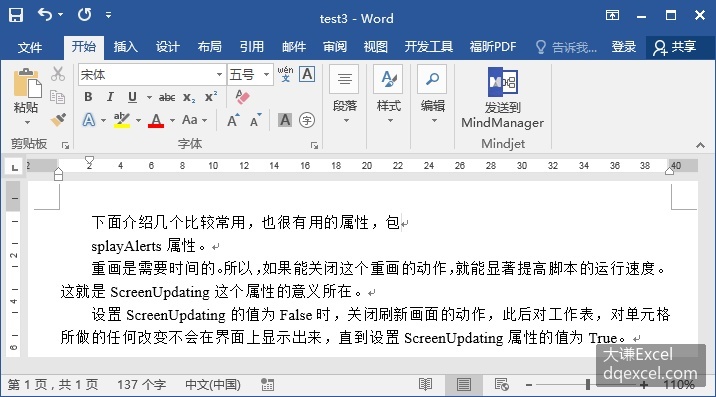
图4-5 在字符序列处插入段落
如果希望保留字符序列,需要用Collapse方法对字符序列进行折叠,确定折叠到字符序列起点处或终止处,从而确定新段落标记的插入点。关于Range对象的Collapse方法,请参见Range对象部分的介绍。
下面在文档中定义一个字符序列,用Collapse方法将字符序列折叠到字符序列终止处,用InsertParagraph方法在该处插入新段落。
>>> from win32com.client import constants     #导入constants类
>>> rng=doc.Range(Start=20,End=40)
>>> rng.Collapse(Direction=constants.wdCollapseEnd)
>>> rng.InsertParagraph()
效果如图4-6所示。可见,字符序列保留下来了并且在字符序列终点处插入了新段落。
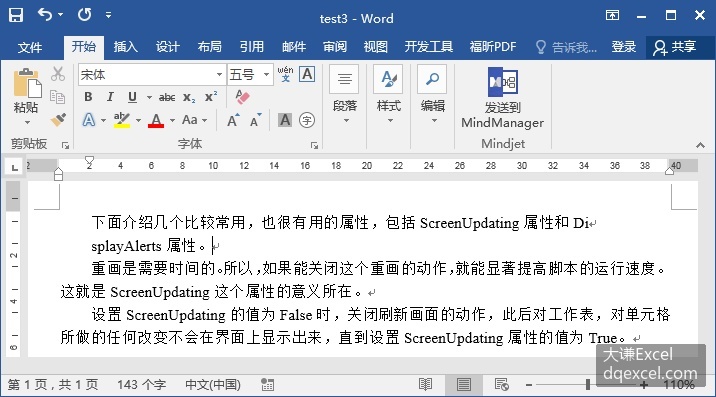
图4-6 保留字符序列并在字符序列终止处插入新段落
设置Collapse方法的Direction参数的值为constants.wdCollapseStart,保留字符序列并在字符序列起点处插入新段落。
使用Range对象的InsertParagraphAfter方法和InsertParagraphBefore方法可以实现跟使用Collapse方法相同的效果,保留字符序列并分别在字符序列终止处和起点处插入新段落。如使用下面的代码可以实现图4-6中的效果。
>>> rng=doc.Range(Start=20,End=40)
>>> rng.InsertParagraphAfter()